

Download Color Temperature – free blue‑light filter, eye‑care browser add‑on
Overview
Color Temperature (also marketed as “Change Lux”) is a lightweight, open‑source browser extension created by the MyBrowserAddon community. Its primary mission mirrors that of popular desktop utilities such as F.lux: it dynamically shifts the colour temperature of every web page you visit to reduce the amount of harsh blue light emitted by modern displays. By moving the screen’s palette from a cool, bluish white during daytime to a warm, amber‑tinted hue after sunset, the add‑on helps preserve melatonin production, eases eye strain, and can improve sleep quality for users who work late into the night.
The extension works on a wide range of browsers—including Chrome, Edge, Firefox, and Opera—so you can protect your eyes regardless of your preferred platform. Color Temperature offers a global mode that applies the filter to all sites, a whitelist that exempts specific domains (useful for colour‑critical workflows), and a set of predefined hotkeys for quick toggling. Although the hotkeys cannot be remapped, they are intentionally simple (e.g., Ctrl + Shift + L to toggle the filter) and are documented in the extension’s help page.
Because the software is distributed under an open‑source licence, it receives regular updates from a community of volunteers, ensuring compatibility with the latest browser releases and addressing security concerns promptly. In short, Color Temperature is a free, secure, and highly configurable tool that makes long browsing sessions gentler on your eyes while keeping your workflow uninterrupted.
Key Features
- Automatic time‑based adjustment: The extension reads your system clock and smoothly transitions from a cool daytime temperature (~6500 K) to a warm evening setting (~3400 K) without manual intervention.
- Global and site‑specific control: Apply the filter to every webpage by default, or add trusted sites (such as photo‑editing tools) to a whitelist so they remain colour‑accurate.
- Pre‑configured hotkeys: Quick keyboard shortcuts let you enable/disable the filter, increase or decrease warmth, and manage the whitelist on the fly.
- Open‑source and free: Released under the MIT licence, the code is publicly auditable, and there are no hidden fees or subscription models.
- Cross‑browser compatibility: Official builds are available for Chrome, Edge, Firefox, and Opera, with community‑maintained ports for Brave and Vivaldi.
- Low resource footprint: The add‑on injects a small CSS filter into each page, consuming negligible CPU or memory, even on older machines.
- Customisable colour temperature range: Users can set the minimum and maximum Kelvin values in the options panel to match personal comfort levels.
- Automatic updates: The extension checks for new releases weekly, ensuring you always have the latest bug‑fixes and security patches.
Installation, Usage & Compatibility
How to install the add‑on
Installing Color Temperature is straightforward and takes less than a minute on any supported browser:
- Open your browser’s official web‑store (Chrome Web Store, Firefox Add‑ons, Microsoft Edge Add‑ons, or Opera Add‑ons).
- Search for “Color Temperature” or “Change Lux”.
- Click the Add to [Browser] button and confirm any permission prompts.
- After the download finishes, the extension’s icon appears next to the address bar.
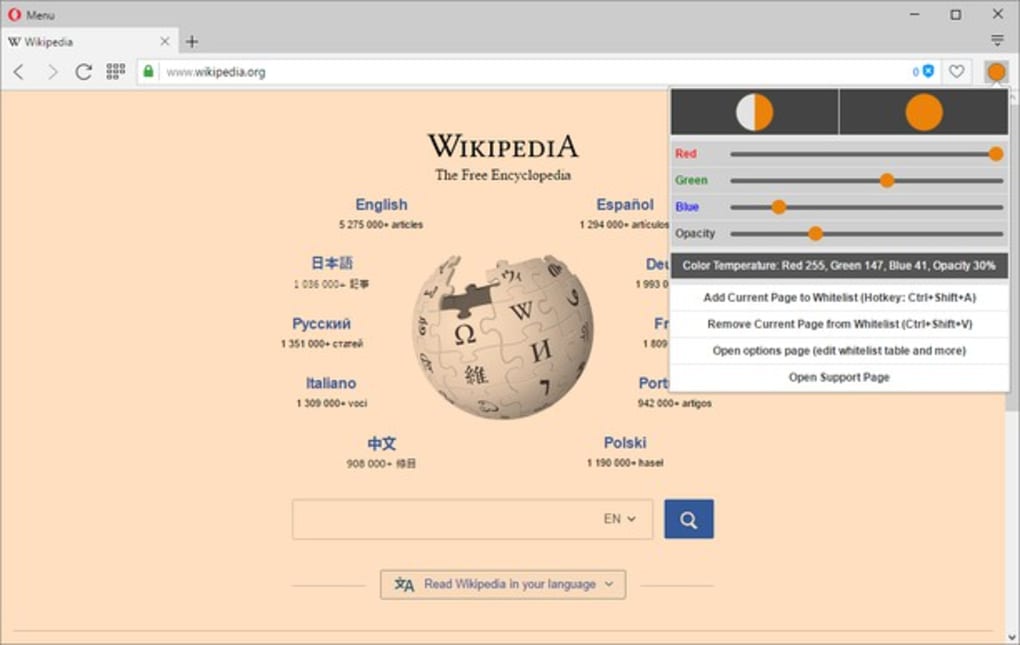
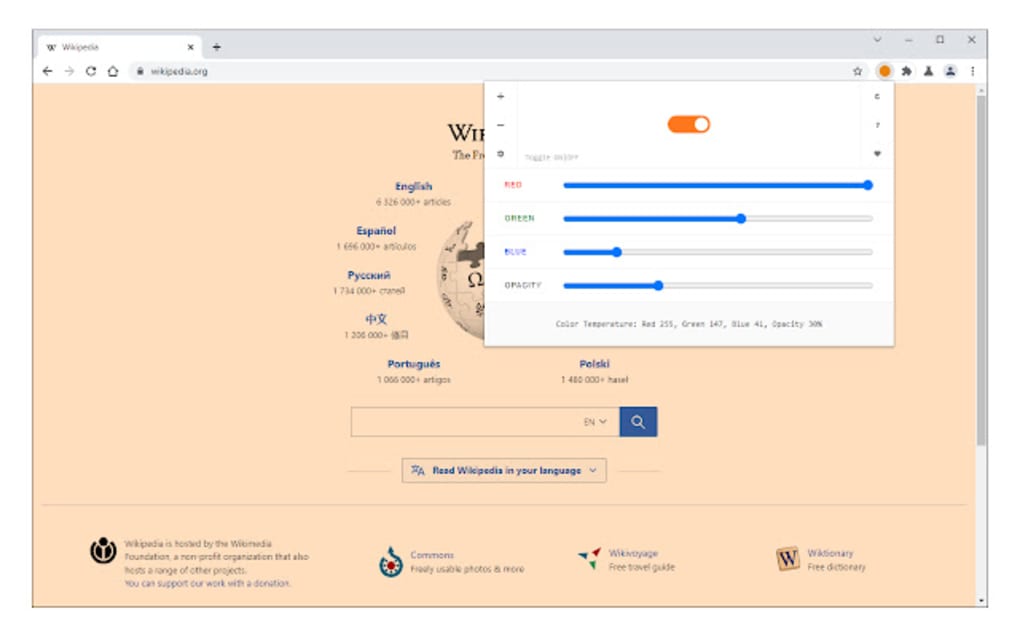
- Click the icon to open the quick‑settings panel, where you can enable the filter, adjust the temperature slider, or access the full options page.
The first launch automatically detects your local time zone and starts the day‑night cycle based on your system clock. If you prefer a static temperature, you can disable the “Automatic schedule” toggle and manually set a fixed Kelvin value.
Supported browsers and operating systems
Color Temperature works on all major desktop and mobile browsers that support WebExtensions, including:
- Google Chrome (Windows 10/11, macOS 10.15+, Linux)
- Microsoft Edge (Windows 10/11, macOS, Linux)
- Mozilla Firefox (Windows, macOS, Linux, Android)
- Opera (Windows, macOS, Linux)
- Brave and Vivaldi (via community builds)
Because the extension relies on standard CSS filters, it functions consistently across different screen technologies (LCD, LED, OLED) and does not require any special hardware. Mobile users should note that battery impact is minimal, but enabling the filter on low‑end devices may cause a slight increase in power consumption due to the extra rendering step.
First‑time configuration
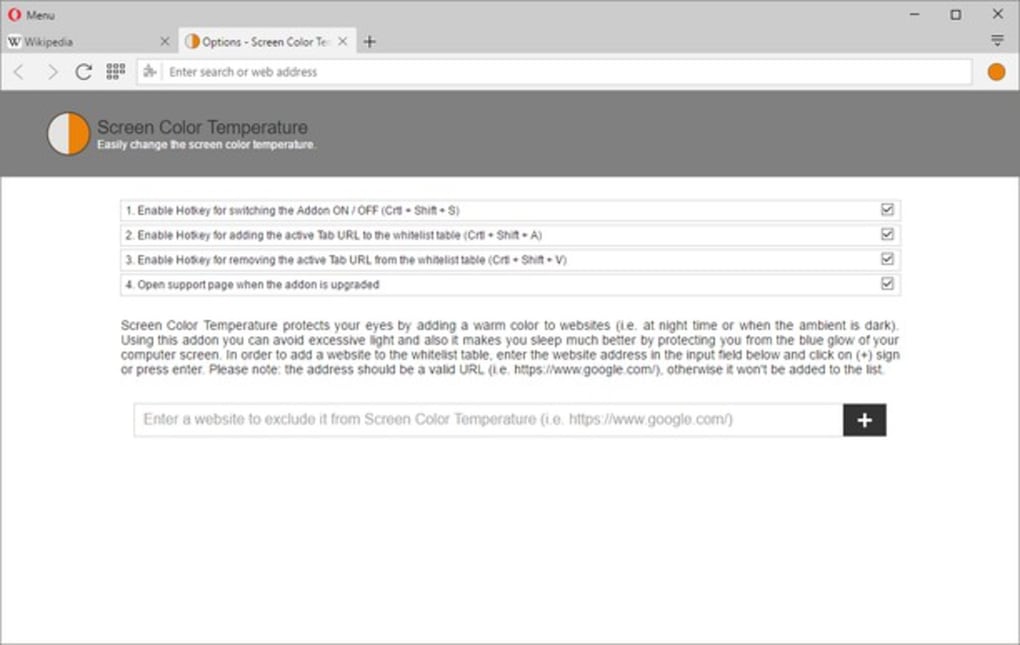
After installation, navigate to the extension’s Options page (right‑click the icon → “Options”). Here you can:
- Set your preferred minimum and maximum colour temperatures.
- Define a custom schedule if you want the filter to activate at specific hours rather than sunrise/sunset.
- Manage the whitelist by adding domain names that should stay unfiltered.
- Review the hotkey list and print it for quick reference.
All settings are stored locally in your browser profile and sync automatically if you enable browser sync, allowing a seamless experience across multiple devices.
Pros and Cons
What users love
- Completely free and open‑source, with transparent development.
- Automatic, smooth transition that matches natural daylight cycles.
- Lightweight – no noticeable lag or high CPU usage.
- Whitelist feature preserves colour fidelity for design work.
- Consistent experience across Chrome, Edge, Firefox, and Opera.
- Weekly automatic updates keep the software secure.
- Simple UI that can be accessed with one click.
Areas for improvement
- Hotkeys are fixed and cannot be customised to personal preferences.
- No built‑in colour‑temperature presets for specific tasks (e.g., reading vs. gaming).
- Mobile implementation lacks a dedicated settings screen; changes must be made on desktop and synced.
- Whitelist management is text‑based, which may be intimidating for non‑technical users.
- Occasional incompatibility with very old browser versions (pre‑2018).
Overall, Color Temperature delivers a polished, eye‑care solution without charging a dime. The automatic schedule works flawlessly, and the open‑source nature gives confidence in its privacy stance. The main drawback is the inability to remap hotkeys, which can be a nuisance for power users. Nonetheless, for anyone spending long hours in a browser, this add‑on is a must‑install.
Frequently Asked Questions
Is Color Temperature safe for all monitors?
Yes. The extension applies a CSS filter that alters the perceived colour temperature without changing the monitor’s hardware settings. It works on LCD, LED, and OLED panels alike and does not affect the display’s warranty.
Can I set a custom schedule instead of sunrise/sunset?
Absolutely. In the Options page you’ll find a “Custom schedule” toggle where you can define exact start and end times for the warm filter. This is useful for night‑shifts or irregular work patterns.
Will the extension increase my battery consumption on a laptop?
The impact is minimal. Applying a CSS filter requires a tiny amount of extra GPU work, but most modern laptops handle it without noticeable drain. If you’re on a very old device, you might see a 1‑2% increase in power usage.
How does the whitelist function work?
You can add domain names (e.g., photoshop.com) to the whitelist via the Options page. Pages matching those domains bypass the colour‑temperature filter, ensuring accurate colour reproduction for design or development work.
Is my browsing data collected by the add‑on?
No. Color Temperature is open‑source and does not request any permissions beyond “activeTab” and “storage”, which are required only to inject the CSS filter and remember your settings. No telemetry or personal data is sent to external servers.
Conclusion – Protect Your Eyes with a Click
If you spend several hours each day scrolling through articles, coding, or watching videos, the cumulative blue‑light exposure can lead to eye fatigue and disrupted sleep patterns. Color Temperature offers a simple, free, and reliable way to mitigate those effects directly within your browser. Its automatic day‑night cycle, whitelist capability, and low‑impact design make it an excellent choice for students, professionals, and casual users alike.
While the fixed hotkeys may disappoint power users, the overall feature set far outweighs this minor limitation. Download Color Temperature today, enable the warm filter, and notice the difference in comfort and sleep quality within just a few evenings. Your eyes will thank you.



.png)



